
Patient Portal - App and Webapp
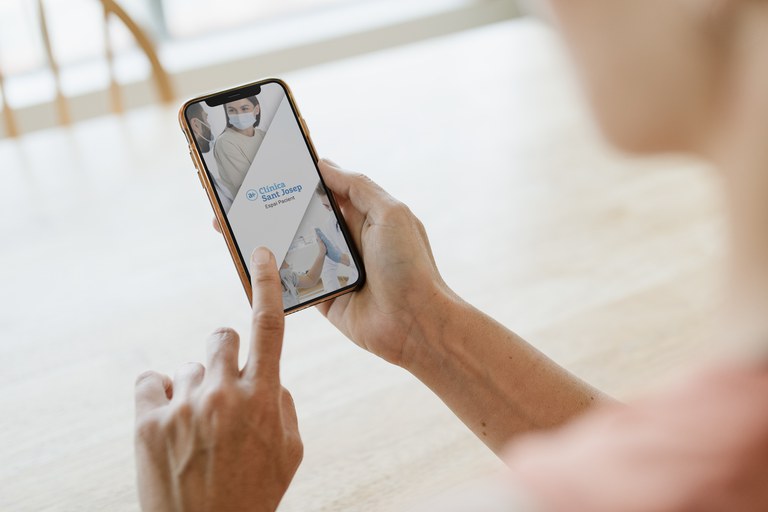
The Patient Portal is a digital environment that connects you with Clínica Sant Josep de Manresa, giving you access to services and your medical history, as well as various administrative tasks.
You can access the Patient Portal via the web environment or by downloading the app on your mobile device on Android or iOS.



Once your personal details are registered, you can navigate intuitively through the different sections of the app:
- Request, modify or cancel an appointment.
- Receive appointment reminders and notifications.
- Confirm your arrival without going to the reception desk.
- Print visit certificates.
- View your medical history (results, clinical reports, radiology tests or diagnostic tests, among others).
- Stay up to date with our promotions.
Documentation required to link patients
Another advantage of this new app is that one user can access information for different patients for whom they have guardianship or authorization, for example minors under 16, elderly people and/or people with different physical or mental capabilities who need it. This makes it easier for family caregivers to supervise the treatment of these patients.
To access information for different patients, you must send the documentation in this document to Clínica Sant Josep Customer Service (atencioalclient@clinicasantjosep.cat) and, in some specific cases, the procedure must be done in person. See how to do it in this link.
Confirm appointment
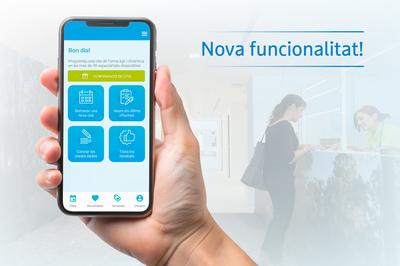
With the aim of improving the user experience and streamlining administrative tasks, we have launched a new feature in the Patient Portal app. It is a button to confirm your arrival at your appointment at Clínica Sant Josep to avoid going to the reception desk and unnecessary waiting. To use this tool, you must have the updated version of the mobile app.
How does it work?
When you arrive at Clínica Sant Josep, press the 'APPOINTMENT CONFIRMATION' button on the home screen. A virtual ticket will then be displayed with the office number you should go to. Once the visit is finished, you will need to go to the reception desk to pay and, if necessary, arrange new appointments or tests.
What if I arrive late?
The button to confirm the appointment is activated on the home screen 30 minutes before the appointment time. If you arrive five minutes after the scheduled appointment time, a screen will appear with the text "OUT OF HOURS" and you will need to check in at the Admissions desk.
I have arrived and the button does not appear. Have I done something wrong?
Not all visits can use this option. The following do not have this new feature:
- Rehabilitation sessions at CIMETIR
- Comprehensive Sports Readaptation visits
- Visits to the Advanced Dentistry and Maxillofacial Institute (IOMA)
- Visits to Dexeus Dona Clínica Sant Josep
You can download information on how appointment confirmation works here.


